AQUANETICA IQ
AquaNetica IQ
for aquaculture.
AI tools built for aquaculture projects,
operations and equipment decisions.
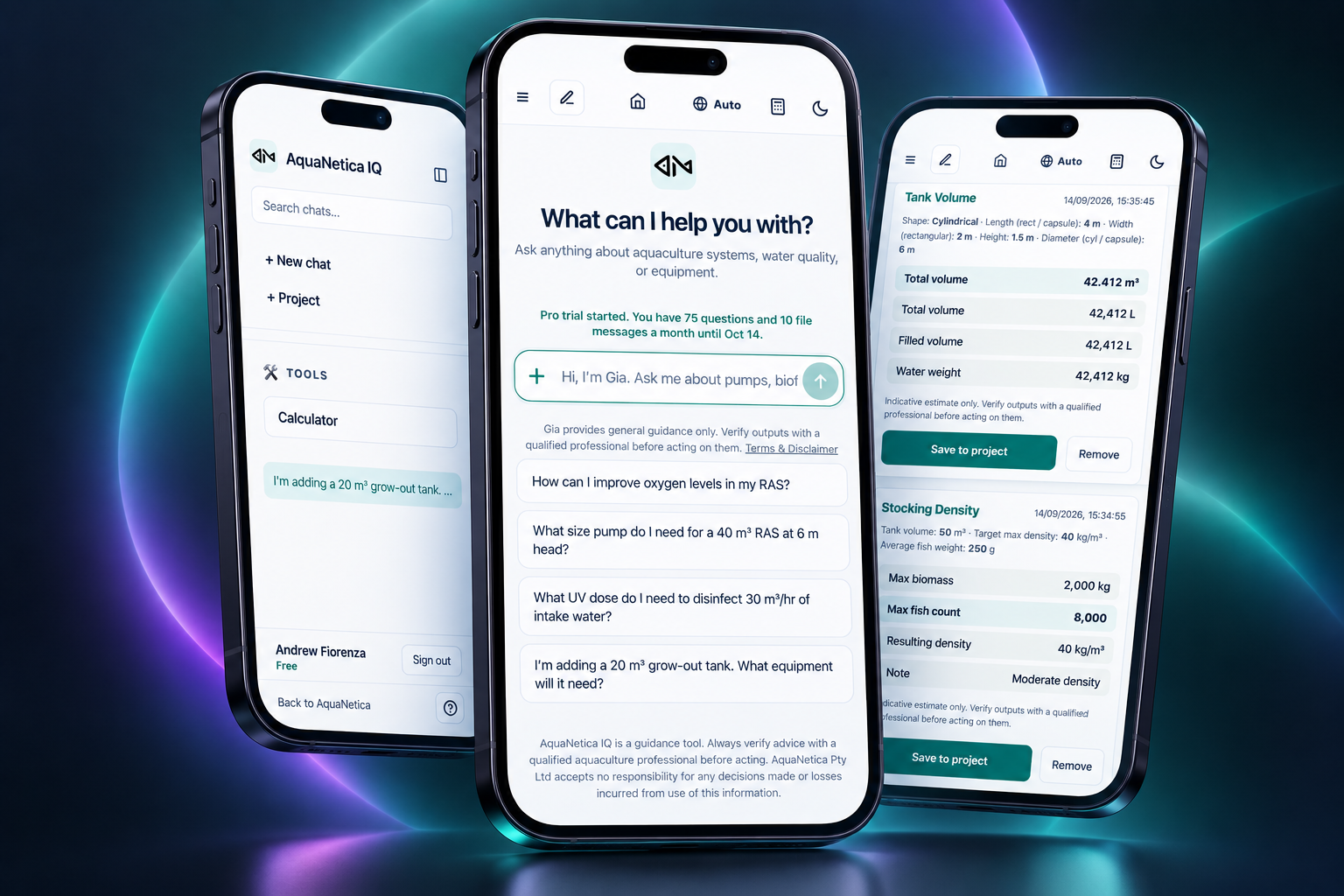
AquaNetica IQ is an AI-powered workspace for aquaculture. Its built-in AI agent, Gia, helps aquaculture professionals answer technical questions, work through calculations, organise project information and turn equipment requirements into sourcing requests.
Free includes 5 IQ questions per month + all 21 calculators.
Already a member? Sign in to IQ
AI and calculator outputs should be independently verified before use.
YOUR CONNECTED WORKSPACE
Built for aquaculture
Ask Gia, work through calculations and keep your project in one connected workspace.
A CLOSER LOOK
See AquaNetica IQ in action
See how questions, calculations, projects and aquaculture tools work together inside IQ.
HOW IQ WORKS
From your first question
to your next step.
Ask → Calculate → Plan → Source
Talk it through with Gia
Ask about aquaculture systems, water quality, equipment, feeding, hatcheries, RAS and project planning.
Work through the numbers
Use 21 aquaculture calculators covering practical areas such as water quality, biofilters, feed, stocking and hydraulics.
Keep your project together
Organise conversations, calculations, projects and supporting information in one workspace.
Turn requirements into action
When equipment is needed, move from your requirements into AquaNetica’s equipment sourcing and procurement pathway.
Request Supplier QuotesMULTILINGUAL SUPPORT
Aquaculture is global.
IQ is built for it.
Gia currently supports:
- English
- Español
- Português
- Tiếng Việt
- Bahasa Indonesia
- 中文
- ไทย
- Türkçe
All 21 calculators are currently available in English and Spanish.
PURPOSE-BUILT TOOLS
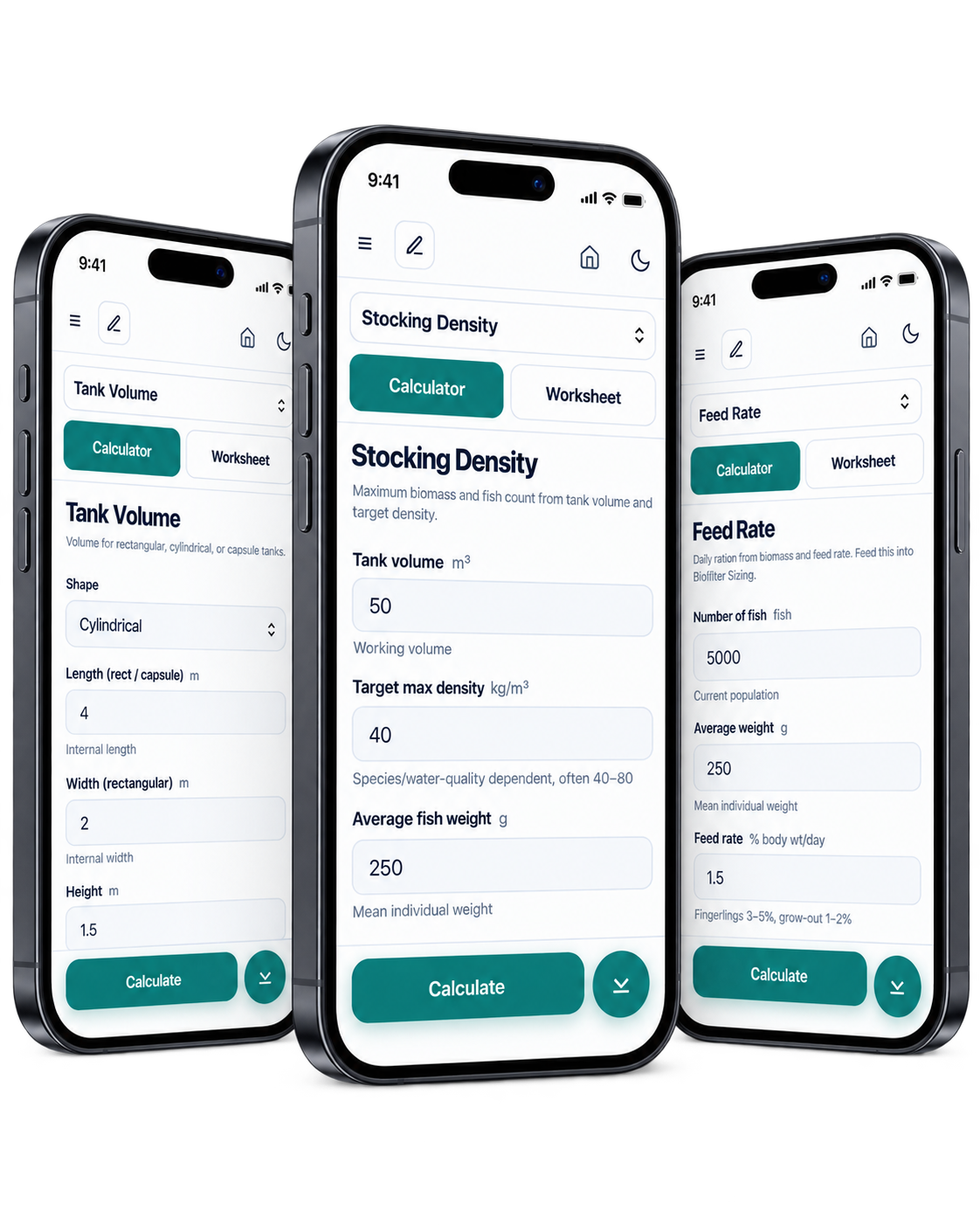
21 calculators built for aquaculture
Work through practical aquaculture calculations without leaving your IQ workspace.
- Water quality
- Biofilters
- Feed
- Stocking
- Hydraulics
TOOLS. WORKSPACE. CONNECTIONS.
More than an aquaculture chatbot
Aquaculture-focused
Built around real aquaculture questions, calculations and workflows.
Practical tools
Move between Gia, calculators, projects and files in one workspace.
Connected to AquaNetica
When a project needs equipment, move into AquaNetica’s suppliers, marketplace and procurement network.
PLANS FOR YOUR WORK
Start free. Choose more
when you need it.
All 21 calculators are included in every plan.
PRO
US$15/month
Or US$150/year, billed annually
- 75 AI questions per month
- 10 file messages per month
- All 21 calculators
MAX
US$39/month
Or US$390/year, billed annually
- 300 AI questions per month
- 30 file messages per month
- All 21 calculators
Question and file allowances reset monthly, including on annual plans.
Compare plans and choose monthly or yearly billing
YOUR QUESTIONS, ANSWERED
A few things to know
What is AquaNetica IQ?
AquaNetica IQ is an AI-powered workspace for aquaculture. Its built-in AI agent, Gia, helps aquaculture professionals answer technical questions, work through calculations, organise project information and turn equipment requirements into sourcing requests.
Who is Gia?
Gia is the AI agent inside AquaNetica IQ. Gia helps aquaculture professionals explore technical questions, calculations, project information and equipment requirements.
Do I need an account to use IQ?
Yes. Create an AquaNetica account, then sign in to open the IQ assistant and calculators. If you already have an account, use the Sign in to IQ link.
What is included for free?
The Free plan includes 5 AI questions per month and access to all 21 calculators. Pro is US$15 per month for 75 AI questions and 10 file messages; Max is US$39 per month for 300 AI questions and 30 file messages. See the pricing page for plan and billing details.
Can Gia help define aquaculture equipment requirements?
Gia can help you describe equipment requirements inside AquaNetica IQ, then you can request help from AquaNetica with sourcing. Specifications, prices and availability must be confirmed with suppliers. Any AquaNetica sourcing fee is agreed before paid work begins. Learn about equipment procurement.
Can I rely on the answers and calculations?
Use them as a starting point only. AI answers and calculator results may be incorrect, incomplete, outdated or unsuitable for your system. Independently verify every output and seek advice from a suitably qualified professional before relying on it. IQ does not replace an engineer, veterinarian or other professional.
What languages does Gia support?
English · Español · Português · Tiếng Việt · Bahasa Indonesia · 中文 · ไทย · Türkçe.
What languages are the calculators available in?
All 21 calculators are currently available in English and Spanish.
Does AquaNetica store my uploaded files or data?
No. Files uploaded to AquaNetica IQ are held on your device and are only transmitted to our AI provider when needed to answer your question. AquaNetica does not store uploaded files on its servers, add them to the IQ document library, or record their contents in its logs.
Your conversations, projects and saved calculations are currently stored locally in your browser rather than in an AquaNetica account-linked database.
Uploaded files and questions are not used to train AI models.
For full details, see our Privacy Policy and Data Policy.
